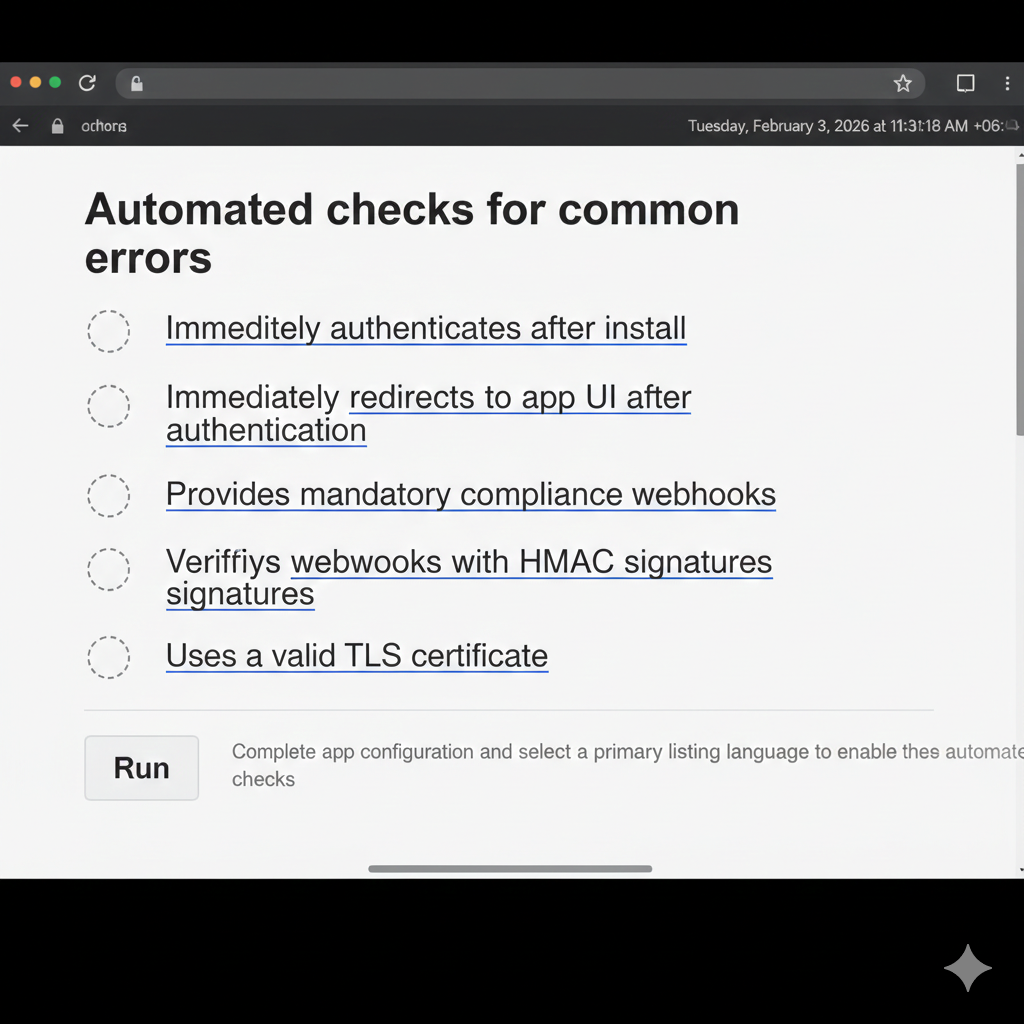
Step 1: Add Shopify’s GDPR-required webhooks
First, define Shopify’s mandatory GDPR webhooks in your shopify.app.toml file. These webhooks allow your app to respond to customer data requests and deletion events, as required by Shopify.
[[webhooks.subscriptions]]
compliance_topics = [
  "customers/data_request",
  "customers/redact",
  "shop/redact"
]
uri = "https://app-url.com/webhooks"
Step 2: Add app-level event webhooks
Next, register webhooks for app-related events, such as when app scopes are updated.
[[webhooks.subscriptions]]
topics = ["app/scopes_update"]
uri = "/webhooks/app/scopes_update"
Since we’re using Remix, which is now part of the React Router Framework, we’ll handle Shopify webhooks using a route action.
Create a webhooks.tsx file at the root of your app (or at the route path that matches your webhook URIs). This file will receive and process all incoming Shopify webhook requests.
The example below shows how to:
Accept only POST requests
Verify the webhook using Shopify’s HMAC signature
Read webhook headers such as topic and shop domain
Handle different webhook topics (including GDPR events)
Safely clean up data when an app is uninstalled
import { type ActionFunctionArgs } from "react-router";
import crypto from "node:crypto";
import prisma from "../db.server";

export const action = async ({ request }: ActionFunctionArgs) => {
  // Ensure only POST requests are processed
  if (request.method !== "POST") {
    return new Response("Method Not Allowed", { status: 405 });
  }

  try {
    const rawBody = await request.text();
    const hmac = request.headers.get("X-Shopify-Hmac-Sha256");
    const topic = request.headers.get("X-Shopify-Topic") || "";
    const shop = request.headers.get("X-Shopify-Shop-Domain") || "";

    const secret = process.env.SHOPIFY_API_SECRET || "";

    // Verify HMAC
    const generatedHash = crypto
      .createHmac("sha256", secret)
      .update(rawBody, "utf8")
      .digest("base64");

    if (generatedHash !== hmac) {
      console.error(
        `❌ Webhook HMAC validation failed for topic: ${topic} shop: ${shop}`,
      );
      return new Response("Unauthorized", { status: 401 });
    }

    console.log(`✅ Webhook verified. Topic: ${topic}, Shop: ${shop}`);

    // Handle specific topics
    // Note: Header topics are typically lowercase (e.g., "app/uninstalled")
    switch (topic.toLowerCase()) {
      case "app/uninstalled":
        if (shop) {
          console.log(`Cleaning up sessions for uninstalled shop: ${shop}`);
          await prisma.session.deleteMany({ where: { shop } });
        }
        break;

      case "customers/data_request":
      case "customers/redact":
      case "shop/redact":
        // GDPR-related webhooks
        console.log(`Processing GDPR webhook: ${topic}`);
        break;

      default:
        // Handle other webhook topics here
        break;
    }

    // Shopify expects a 200 OK response for successfully processed webhooks
    return new Response("OK", { status: 200 });
  } catch (error) {
    console.error("Error processing webhook:", error);
    return new Response("Internal Server Error", { status: 500 });
  }
};
step 3: create another route name is api.webhooks.customers.data_request.tsx
import type { ActionFunctionArgs } from "react-router";
import { authenticate } from "../shopify.server";

export const action = async ({ request }: ActionFunctionArgs) => {
  const { shop, payload, topic } = await authenticate.webhook(request);

  // Implement handling of mandatory compliance topics
  // See: https://shopify.dev/docs/apps/build/privacy-law-compliance
  console.log(`Received ${topic} webhook for ${shop}`);
  console.log(JSON.stringify(payload, null, 2));

  return new Response();
};
step 4: create another route name is api.webhooks.customers.redact.tsx
import type { ActionFunctionArgs } from "react-router";
import { authenticate } from "../shopify.server";

export const action = async ({ request }: ActionFunctionArgs) => {
  const { shop, payload, topic } = await authenticate.webhook(request);

  // Implement handling of mandatory compliance topics
  // See: https://shopify.dev/docs/apps/build/privacy-law-compliance
  console.log(`Received ${topic} webhook for ${shop}`);
  console.log(JSON.stringify(payload, null, 2));

  return new Response();
};
step 5: create another route name is api.webhooks.shop_redact.tsx
import type { ActionFunctionArgs } from "react-router";
import { authenticate } from "../shopify.server";

export const action = async ({ request }: ActionFunctionArgs) => {
  const { shop, payload, topic } = await authenticate.webhook(request);

  console.log(`Received ${topic} webhook for ${shop}`);

  // Payload has the following shape:
  // {
  //   "shop_id": 954889,
  //   "shop_domain": "snowdevil.myshopify.com"
  // }

  return new Response();
};